Enter a listing once. Market it everywhere.
Branded post designs, captions, an email to your contacts, a video script and a link preview with your listing and your name. Your listings go into your Planner, and you see who clicked.
Included in Pro, $49/mo intro price for 12 months when you join by January 31, 2027, then $79.
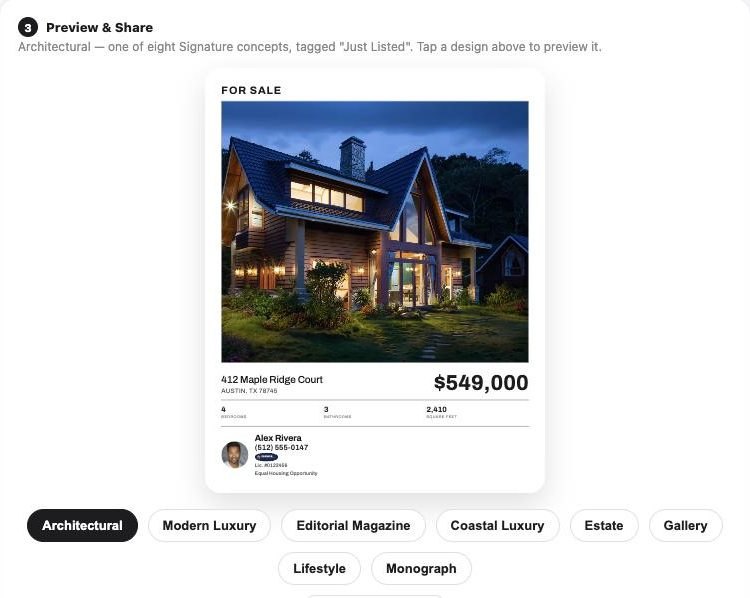
Everything you get from one listing.
Signature and Coastal designs, animated Motion videos, an email and a video script, each with your name, photo and brokerage already on it.

 Alex Rivera · Premier Real Estate GroupAlex Rivera · Premier Real Estate Group

 Alex Rivera · Premier Real Estate GroupAlex Rivera · Premier Real Estate Group
Just listed in Austin: $549,000
4 bedrooms, 3 baths and 2,410 sq ft on a quiet court. I'd love to show it to you, or to anyone you know who's looking.
See the homeAlex Rivera · Premier Real Estate Group
"Just listed in Austin: 412 Maple Ridge Court. Four bedrooms, three baths, and a back porch you'll want to spend every evening on. Let me show you around."
Each click is counted, then the visitor lands on the listing on your own site.
From your posts, emails and texts. Counted, not named.
Sample listing and agent. Listing link clicks are counted, not named; likes and views inside social media are not tracked.
One listing, a whole campaign
Branded posts in eight looks.
Architectural, Modern Luxury, Editorial Magazine, Coastal Luxury, Estate, Gallery, Lifestyle and Monograph. Your name and brokerage are on every one.
- Copy the image, copy the caption, or download
- Just Listed, Under Contract and Just Sold
- Another firm’s listing shows a courtesy credit, and “Recently Sold Nearby” instead of Just Sold
- Day 1Welcome email in your nameThree articles on what Jordan asked about
- Day 7A call reminder for youSet automatically after the email goes out
- NextFollow-up with new articlesNever one Jordan has already read
- PausedYou talked on the phoneEmails wait a week, then pick back up
Send it to the people who should see it.
Email the listing to your contacts in your name. Each person’s link is their own, so you see who looked.
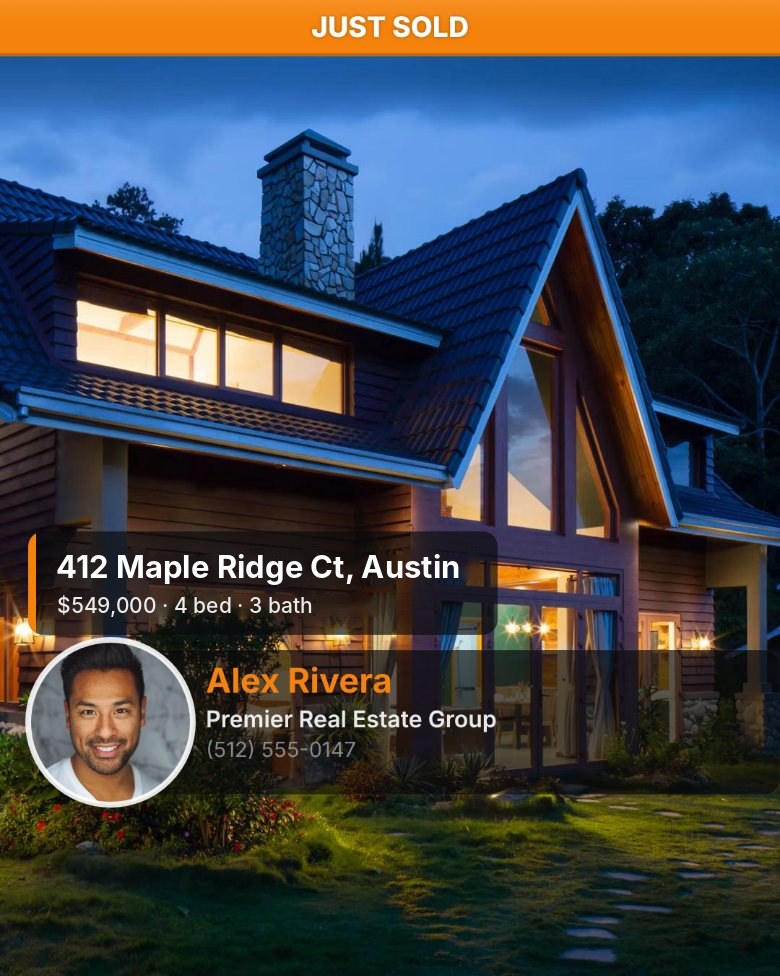
A listing script, ready to read.
Open the listing in ScriptStudio and the script and photos are in place, with your branding on screen.
See ScriptStudio →Pre-Qualification vs. Pre-Approval
Image and caption done, with your branded link.

Your listings land in your Planner.
So they’re promoted consistently, not just on day one.
What happens after you share it
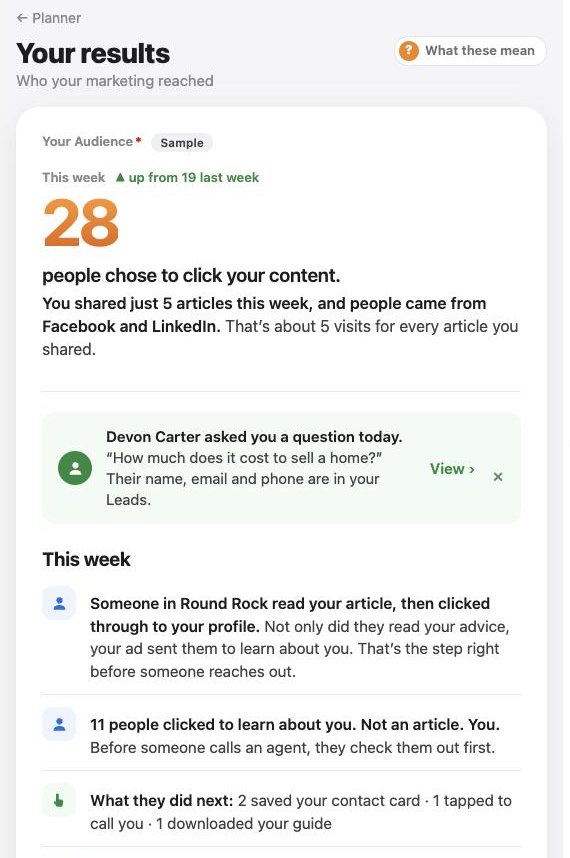
See which posts worked.
Your Results show clicks for each listing, by network and by post, like “Facebook post, Oct 28”.
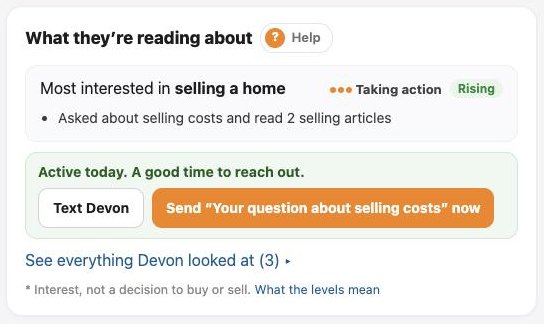
Know which of your people looked.
When a contact opens the listing from your email or text, it shows on their page as “Looked at your listing,” counted as a buying signal.
Know who’s really looking.
Listing clicks join the same reading signals as your articles, so a contact who reads about buying and then opens your listing rises to the top of your list.
Names appear only for people you reached by email, text or a tracked link, or who told you who they are through Ask or a guide. Posts on social media show counts, not names. People are never identified by their network address or device. A read is interest, not a decision to buy or sell.
- Who clicked from a social post. Those are counts only.
- Likes, comments, views and reach inside social networks.
See a full listing kit.
Open a sample listing in the demo and copy a post. Nothing is saved.
Or just ask your AI
With Pro, connect ChatGPT, Claude or Gemini and ask in your own words.
Questions
Do I need an MLS feed?
No. You add the listing yourself: photos, price and details.
Can I market another firm’s listing?
Yes, with a courtesy credit to the listing firm on the posts and at the end of the video script.
Does it include my social media analytics?
No. It counts clicks on your listing links. Likes, comments and reach inside social networks are not included.
Market every listing like it’s your only one.
Pro includes the Planner, branded content, listings, open houses, follow-up, every video studio and your AI connection.
Card required. Cancel anytime before day 31 and you won’t be charged.