Know what to post today. See what happened after.
Every day your Planner hands you something worth sharing, made and branded with your name, photo and link. Every link brings readers to an article with your ad on it, shows you who’s reading, and turns the ones who ask into leads with the follow-up already written.
Included in Pro, $49/mo intro price for 12 months when you join by January 31, 2027, then $79.
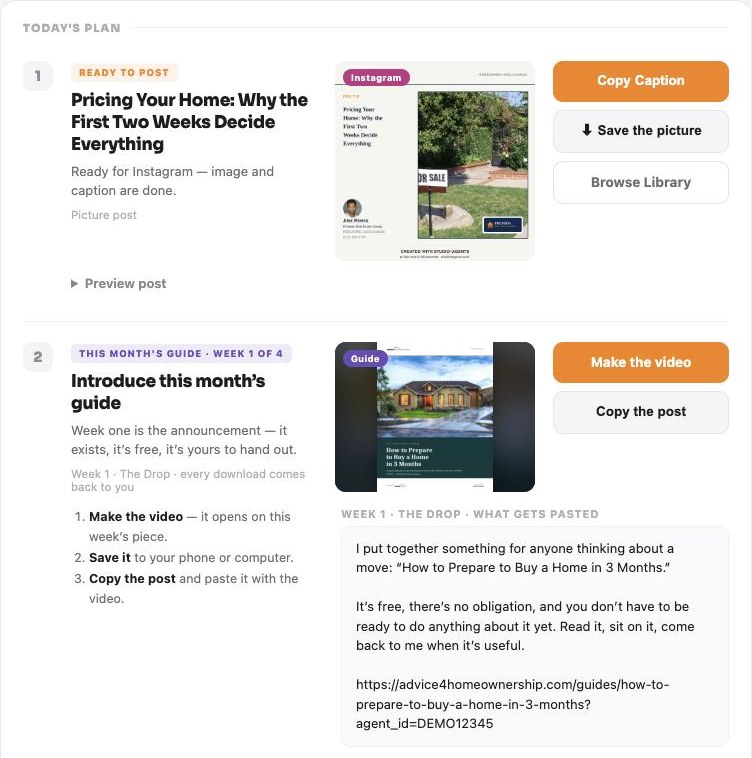
Your week, planned and made
Open the Planner on your phone or computer and today’s items are in order. Nothing to write and nothing to design.
Pre-Qualification vs. Pre-Approval
Image and caption done, with your branded link.
About 11 ready-to-post pieces a week.
A 7-day schedule across Facebook, Instagram and LinkedIn, plus TikTok and Pinterest if you turn them on.
- Image and caption made for you
- Your name, photo and phone already on the image
- One tap copies it; edit any caption first if you like
- Skip a day and nothing piles up
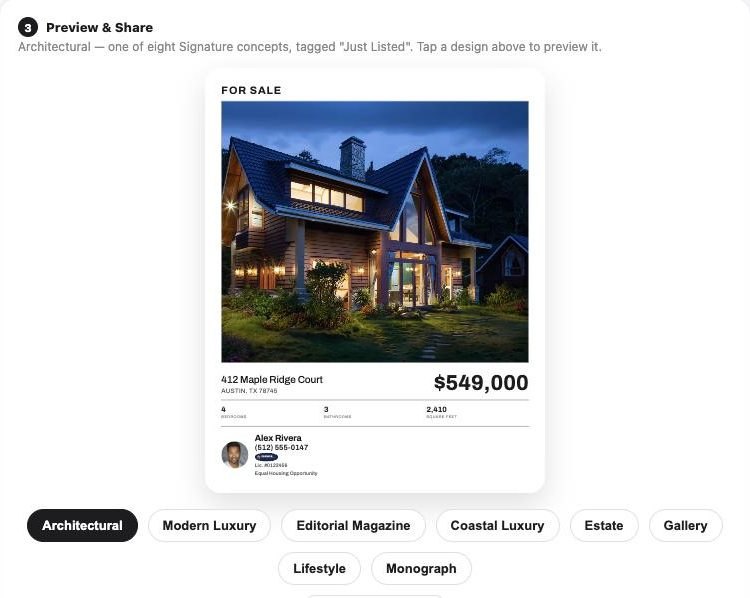
Your listings, open houses and the rate update.
Your active listings and upcoming open houses are scheduled in, so they’re promoted on a rhythm, not just on day one. A weekly mortgage-rate post is built from current Federal Reserve data.
See listing marketing →
Two ready-to-record videos every week.
The scripts are written and branded. Tap one and read it from the teleprompter.
See ScriptStudio →Call Jordan Ellis
Reading this week. Next email lined up for Thursday.
Who needs you today sits next to today’s post.
New leads, follow-ups that are due, emails waiting for your OK and a daily Stay in Touch suggestion from your contacts.
What happens after you post
Posting is the first step, not the last. Here’s the whole trip, from your post to a conversation.

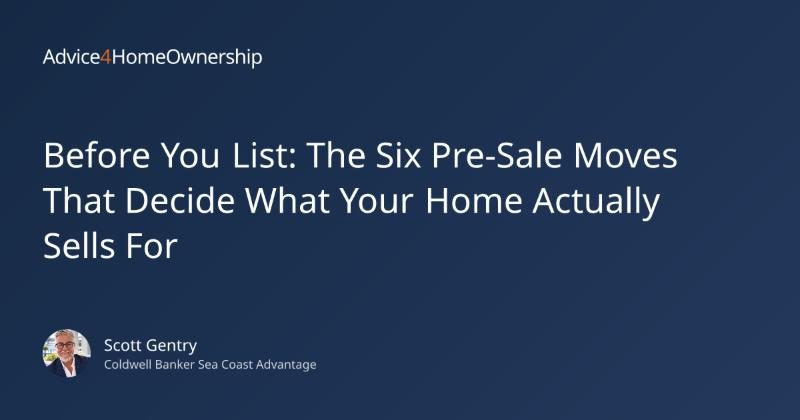
Your home didn’t sell. That’s frustrating. But it’s not a verdict on your home. It’s a signal.

Your home didn’t sell. That’s frustrating. But it’s not a verdict on your home. It’s a signal.
 Shared with you by Scott Gentry

A listing that expires isn’t a verdict on your home. It’s a signal that something in the price, presentation or marketing wasn’t quite right, and each of those can be fixed.

Your link carries your name.
Every article you share links to Advice4Homeownership, and the preview people see shows the article with your name on it.
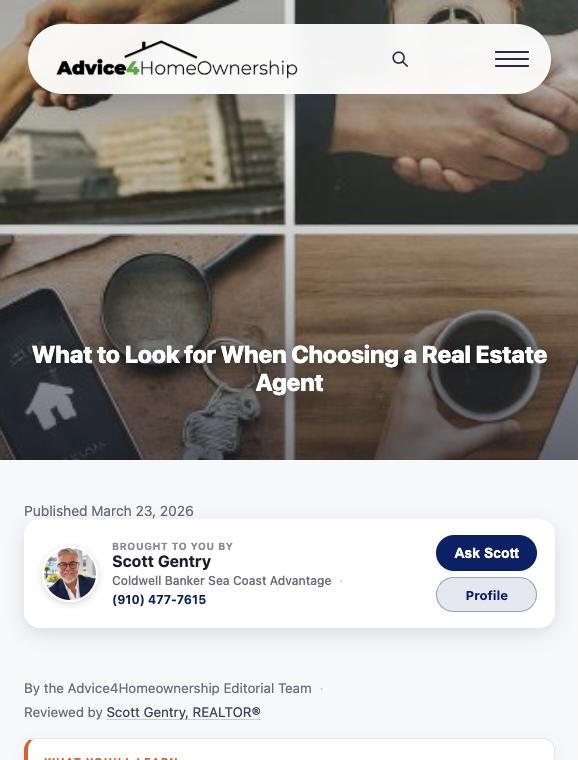
They land on the article, with your ad on it.
Your card sits at the top of the article, “Brought to you by” you, with your photo, brokerage, phone and an Ask button, and again at the end. Not another agent’s.
- Free guides and calculators carry your name too
- Your profile is one tap away
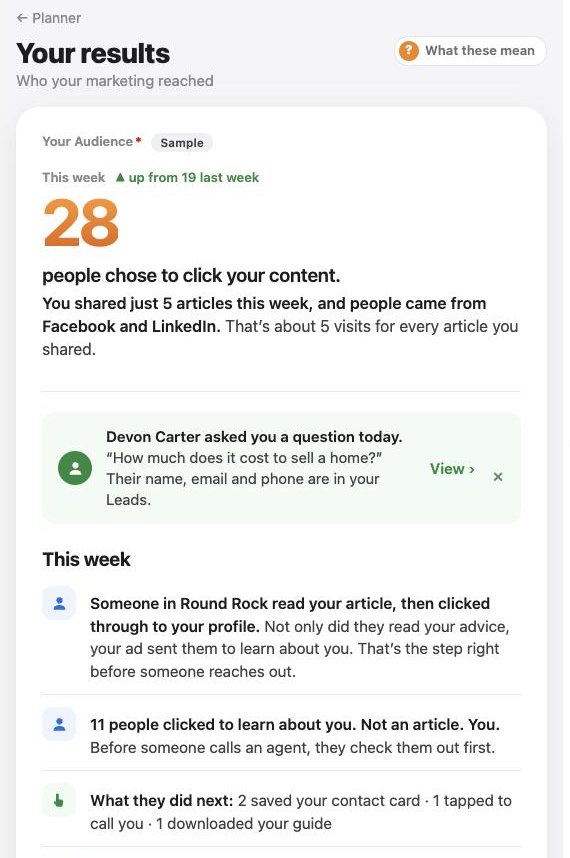
Every visit counts on your Results.
How many people clicked your content, where they came from, and what they did next: visited your profile, saved your card, tapped to call or downloaded a guide.
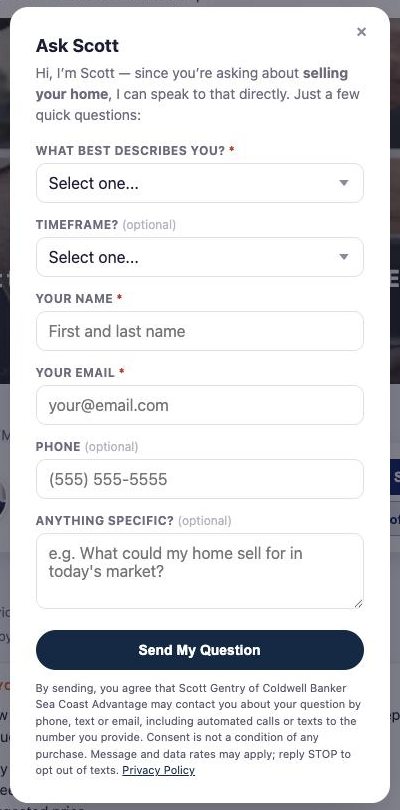
An Ask or a guide download puts a name to the reader.
When a reader asks you a question, they land in your Contacts with their question and a next step. When they download a guide, they appear on your Guide Downloads list. You can send new leads to the CRM you already use.
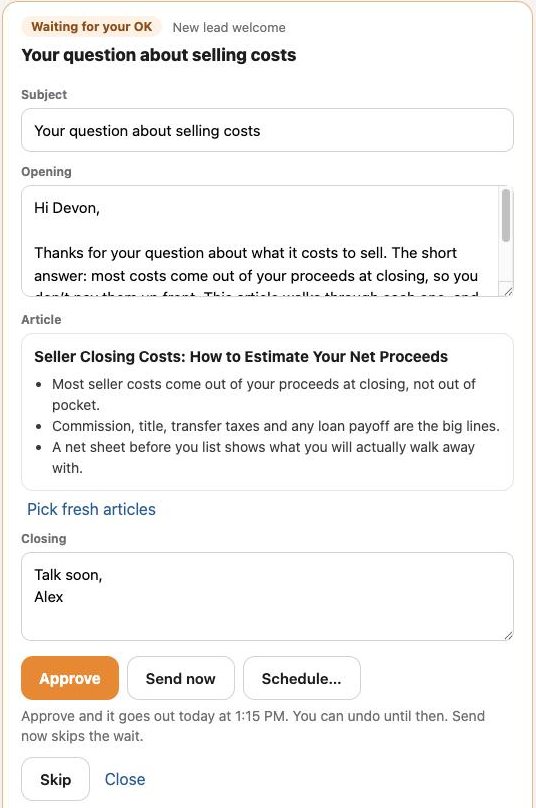
A reply is waiting for your OK.
A welcome email in your name with an article that answers their question, summarized in three points. Approve it, send it now or schedule it. Replies come to your own inbox.
See Leads & Follow-Up →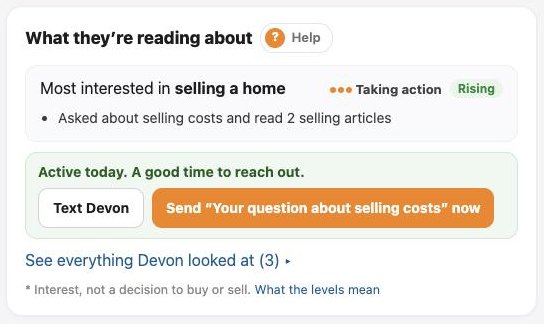
Their page tells you what they’re reading.
Interest, level and trend, and a nudge when they’re active today. Your part is the conversation.
You see what they read, not just that they clicked.
Most marketing stops at the post. Studio4Agents follows the link. When someone you reached by email, text or a tracked link reads your articles, guides or listings, their contact page shows what they’re interested in, how strongly, and whether it’s growing.
Names appear only for people you reached by email, text or a tracked link, or who told you who they are through Ask or a guide. Posts on social media show counts, not names. People are never identified by their network address or device. A read is interest, not a decision to buy or sell.
- Likes, comments, views and reach inside Facebook, Instagram, LinkedIn and other networks.
- Who clicked from a social post. Those are counts only.
- Email opens are a weak signal: some email apps open every message automatically. Reads and clicks count for more.
- A forwarded link can credit the person who forwarded it.
Your few minutes a day
Open today’s plan
Today’s post, who to reach and anything waiting for your OK.
Copy and post
One tap. It counts as done.
Check who’s reading
Reach out to the people who are warming up.
See what your readers see.
Walk through the whole loop in the demo: the post, the article with the ad, the results and the follow-up. About two minutes, no signup.
Or just ask your AI
With Pro, connect ChatGPT, Claude or Gemini and ask in your own words.
Questions
Do I have to write anything?
No. Posts come written and designed. You can edit any caption before you share it.
Which networks does it plan for?
Facebook, Instagram and LinkedIn, plus TikTok and Pinterest if you turn them on.
What if I skip a day?
Nothing piles up. Unused posts don’t carry over; tomorrow starts fresh.
Does the plan learn what works?
Yes, gently. After a few weeks of sharing, up to two topics your readers click most get extra weight in your article picks. Nothing is ever removed, and the Planner settings say when it’s adapting.
Will I see who read my post on Facebook?
No. Social posts show how many people clicked, not who. You see names only for people you reached by email, text or a tracked link, or who told you who they are.
Does it include my social media analytics?
No. It counts visits to Advice4Homeownership and Studio4Agents pages from your shared links, emails and texts. Likes, comments and reach inside social networks are not included.
Post with a purpose. See who it reached.
Pro includes the Planner, branded content, listings, open houses, follow-up, every video studio and your AI connection.
Card required. Cancel anytime before day 31 and you won’t be charged.